Development scenarios
The scenarios below explain the use of the SPARTA tool support in various development scenarios. For each of the scenarios the relevant eclipse and standalone SPARTA dependencies are mentioned.
Eclipse-specific scenarios
Extending SPARTA
Extending the SPARTA meta-model to include new, custom concepts can be done as follows:
Install the SPARTA plugins in Eclipse (Via Help > Install New Software…, using https://downloads.sparta.distrinet-research.be/updates/).
Create a new Ecore Modeling Project (File > New > Other > Ecore Modeling Project).
Add the SPARTA meta-model as a dependency for your project (using maven and/or in Eclipse via META-INF > MANIFEST.MF > Dependencies > Add… > be.kuleuven.cs.distrinet.sparta.spartamodel).
In the .aird file, add the spartamodel.ecore and spartamodel.genmodel resources to the Models.
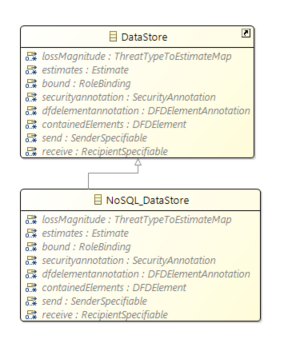
Model your extension using the standard EMF workflow. For example, create a new class NoSQL_DataStore and add the existing DataStore element as a supertype.
Add the SPARTA meta-model as a reference in the new model by right-clicking the root of the the generator model (your_project > model > your_model.genmodel) and selecting Reload > Ecore model > Next > Next > Referenced generated models > Add… > be.kuleuven.distrinet.sparta.spartamodel .
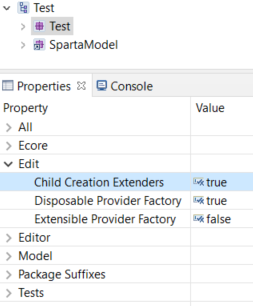
In the .genmodel tree editor, select the new extension’s model (not the top level element). In the properties, under Edit, set the Child Creation Extenders property to true. (Note: if the new model extension should also be extensible similar to the spartamodel, also set the Extensible Provider Factory property to true.)
Generate the model by right-clicking the genmodel and selecting Generate All.
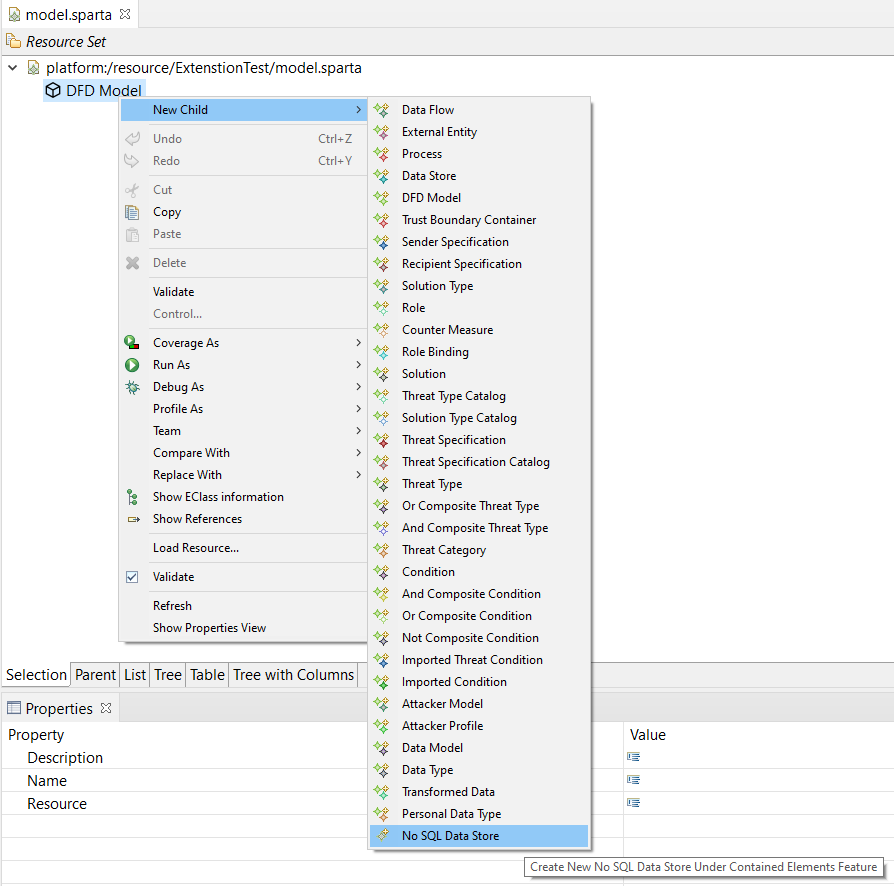
Now, when running the generated editor plugin as an Eclipse Application, a NoSQL_DataStore can be added to a DFD Model.
Standalone scenarios
Using the standalone libraries
Note
This requires sparta-model.
Using the Eclipse EMF classes outside of eclipse requires some initialization before first use.
1import org.eclipse.emf.ecore.resource.Resource;
2import org.eclipse.emf.ecore.xmi.impl.XMIResourceFactoryImpl;
3import be.kuleuven.cs.distrinet.sparta.spartamodel.SpartaModelPackage;
4
5// Initialization
6SpartaModelPackage.eINSTANCE.eClass();
7
8// Register resource factory
9Resource.Factory.Registry.INSTANCE.getExtensionToFactoryMap().put("sparta", new XMIResourceFactoryImpl());
Performing threat elicitation and risk analysis
Note
It requires either be.kuleuven.cs.distrinet.sparta.analysis or the sparta-core.
Caution
The engine does not have a fixed built-in catalog of threat types. The threat elicitation will only work when a catalog of threat types is provided to the engine as part of the analyzed model. See Pairing existing threat type catalogs for more information on how to pair an existing catalog of threat types to a model.
Using the previously loaded or saved resourceSet:
// Create a new engine
Engine e = new Engine(resourceSet);
// Run the analysis
List<Threat> results = e.runAnalysis();
// use the results
Analyzing threat results
Note
This requires the sparta-analysis.
The sparta-analysis library contains a number of helper classes for analyzing the resulting list of threats.
List<Threat> results;
ThreatAggregationAnalysis taa = new ThreatAggregationAnalysis(results);
taa.getDFDElementTypeCount();
taa.getTotalRiskReductionPct();
taa.getAverageThreatCounterPerElement();
taa.getPotentialRiskPerThreatType();
taa.getPotentialRiskPerDFDModelElementType();
taa.getThreatCountPerThreatType();
taa.getThreatCountPerDFDModelElementType();
// etc.